
How to Create a Perfect Location Page for SEO and Visitors
Picture this: A potential customer is desperately searching for your business on their smartphone while driving around your neighbourhood. They’re getting frustrated because your location page shows up in search results, but the information is outdated, the map doesn’t work, and they can’t figure out where to park. We’ve all been there, and it’s not a great experience.
Location page writing isn’t just about throwing together some basic information and calling it a day. It’s an art that combines user experience, local SEO, and storytelling to create a digital welcome mat for your business. As a team which has spent years perfecting this craft, we are excited to share insights that will transform your location pages from basic information dumps into powerful conversion tools.
What is a Location Page?

A location page refers to that section of your website that is crafted specifically to provide all the information on one specific business location. Most of the information that one finds here includes address, hours, contact details, directions, and so much more, in order to enable these prospective customers to find and participate in your business better. Good location page writing aims at the fusion between necessary information and some SEO strategies that help your business to be found online as well as in person.
Why a Location Page Matters for SEO
For every local business, a location page could be the upward push in your rankings in local searches due to the fact that it lets search engines know precisely where your business operates. If a search engine notices that a location page contains the proper address and contact details, then your business will be promoted more in local search queries.
A well-planned location page will make your business accessible to local customers and put you way ahead of other companies in competitive markets. This is why the best content writing service providers in the USA use location pages in their SEO plan.
By aligning with these SEO tactics, businesses can enhance online presence, bringing more visibility and foot traffic to their physical location. For example, according to Moz’s Local SEO Guide, accurate, location-specific information plays a significant role in local search engine optimization.
Essential Elements of a Location Page
- Contact Information (NAP + W)
Start with the essentials: Name, Address, Phone number, and Website-often shortened to NAP + W. Keeping your NAP + W consistent is one of the most important factors that makes search engines believe in your business. That means using actual current information, and then ensuring it all appears the same way everywhere online-from profiles on social media to directories.
For example, if you are a content writing company in Australia, ensure your NAP + W information published on your website is identical to that on Google My Business and any other listing site.
- Description of Services, Products, or Features
Highlight what customers can expect when they visit your location. Think about the specific offerings that differentiate each location if you have multiple branches. For instance:
- A coffee shop may list its drink menu.
- A boutique hotel could display amenities unique to that location.
- A storage facility might describe available storage sizes.
Give visitors a quick view of what’s available at your business without them needing to navigate away from the page. According to HubSpot’s guide on local SEO, including unique, location-specific content boosts both user engagement and search engine relevance.
- Embedded Map and Directions
Embedding a Google Map on your location page makes it easy for visitors to find you with a click, thanks to GPS navigation. Provide directions from major routes or popular landmarks for those who prefer a general idea without relying entirely on maps. A dynamic map enhances the user experience and helps visitors locate your business quickly.
- Parking Information
Visitors also complain that navigating the parking is often a headache. Give them clear information about what options are available for parking. Be specific about whether there is on-site parking, street parking near the facility, or a parking lot. Mention details like:
- Is parking free or paid?
- Are there busy times to be aware of?
- Any restrictions, such as limited-time parking?
- Photos and Visuals
Images create an engaging and informative experience, allowing potential customers to visualise your business. High-quality images of your storefront, interiors, and surroundings are recommended. You can also embed a 360-degree tour or a video that showcases your space. Make sure to optimise these visuals with relevant alt tags for SEO benefits.
- Hours of Operation
Clear, accurate hours of operation are essential so that customers know exactly when they can visit your business. If your hours vary by day or season, be sure to specify those details. You may also consider mentioning peak hours to help visitors plan around busier times.
- Localised Marketing Copy
Your location page is a prime spot for localised marketing copy that highlights your unique value. For example, a location-based content writing service provider might share their expertise in serving local businesses in the USA. Write a brief but engaging description that emphasises why your business stands out in that specific location.
- Customer Reviews and Testimonials
Displaying reviews and testimonials adds credibility and makes your business seem more trustworthy. You can show star ratings or select specific reviews that mention your services or local features. Include the reviewer’s name, location, and if possible, a photo to make it more authentic.
- Additional Helpful Information
Think about what else might be useful for your visitors, especially if they are new to the area. Here are some suggestions:
- Neighbourhood Information: Briefly describe the local area, especially if it’s a popular destination or has significant landmarks.
- Nearby Attractions: Mention any nearby attractions or points of interest that visitors might enjoy.
- Transportation Options: Provide details about nearby public transportation options for those who may not be driving.
- Local Insights: Information on the local community can be a great addition. Consider adding tips on nearby events, good restaurants, or schools if relevant to your business and audience.
- Internal Links to Relevant Pages
Internal links help guide visitors around your site and improve the overall user experience. For instance, link to related blog posts, specific service pages, or even an FAQ section if it adds value. Internal links also support SEO by encouraging visitors to explore your website further.
Handling Multiple Locations
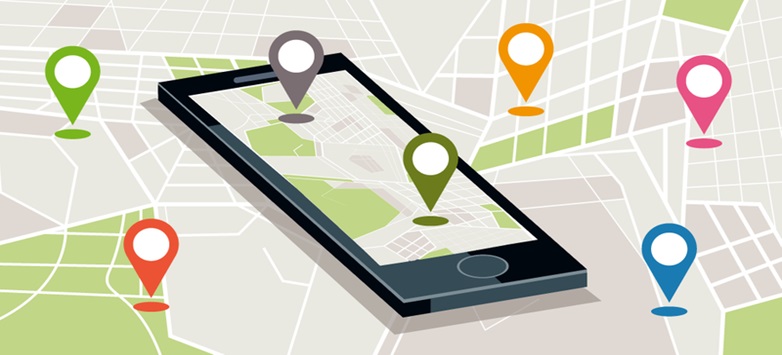
If your business has multiple locations, you should create a unique page for each. These pages can be organised under a “Locations” section, where visitors can easily find each branch. For example, a content marketing agency in the UK with multiple branches could create separate location pages for each city or region they operate in.
When creating multiple location pages, ensure each page has unique content tailored to its specific location to avoid duplicate content issues and provide a better user experience.
Final Thoughts
A well-optimised location page is an invaluable asset for local businesses. It enhances your online visibility, boosts local search rankings, and provides a user-friendly experience that meets visitor needs. Whether you’re a content writing company in Australia or a local boutique, a great location page is a foundation for engaging your community and attracting new customers.
If you’re considering professional help with location page writing, partnering with an article writing service provider can make all the difference in creating high-quality, SEO-optimised pages.