Pairing Without Pain: Seamless Connectivity for Wearables and Indoor Cycling Studios
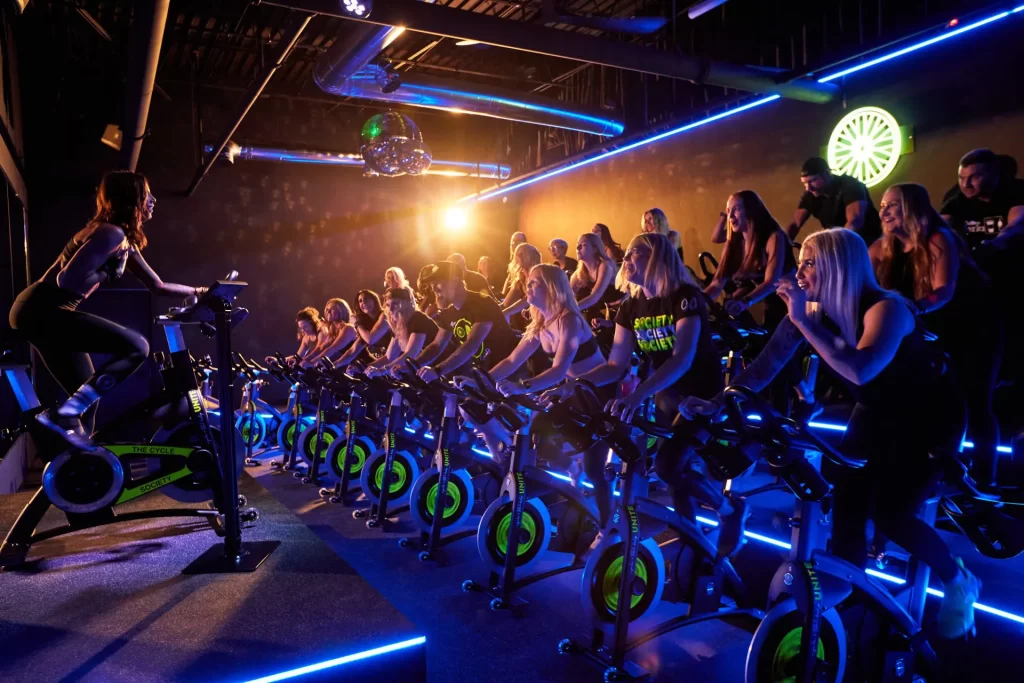
Indoor cycling has become a cornerstone of urban fitness culture, offering efficient, high-energy workouts in a controlled setting. For riders, indoor cycling Singapore is not just about pedalling harder but also about tracking progress with wearables and fitness apps. The problem is, many participants struggle with pairing devices in crowded studios. Connectivity conflicts, inaccurate metrics, and syncing errors can turn a smooth session into a frustrating one. Understanding how wearables, sensors, and studio bikes communicate makes the experience seamless and ensures data accuracy.
Why Device Pairing Matters
Modern training is data-driven. Riders rely on heart rate, cadence, and power metrics to track fitness gains. These numbers inform pacing, recovery, and goal setting. When devices fail to connect properly:
-
Metrics may be lost or misreported.
-
Training zones cannot be accurately followed.
-
Post-ride analysis becomes incomplete.
-
Group classes suffer disruptions as riders try to troubleshoot mid-session.
Reliable pairing means workouts stay smooth, results remain measurable, and motivation stays intact.
Bluetooth vs ANT+: The Connectivity Debate
Most indoor cycling studios use either Bluetooth Low Energy (BLE) or ANT+ protocols to transmit data from bikes to devices. Each has pros and cons.
Bluetooth
-
Universally supported by smartphones and wearables.
-
Limited number of simultaneous connections per device.
-
More prone to conflicts in crowded classes with many devices.
ANT+
-
Allows multiple receivers to connect to a single sensor.
-
Preferred for group classes with multiple riders.
-
Requires specific watches or bike computers that support ANT+.
Studios often integrate both, but riders must understand which protocol their devices use.
Common Pairing Problems in Studios
Group environments make connectivity trickier. Typical issues include:
-
Cross-connection: Devices latch onto the wrong bike.
-
Signal interference: Multiple Bluetooth devices compete for limited bandwidth.
-
Uncalibrated sensors: Power and cadence readings differ from reality.
-
Firmware mismatches: Outdated apps or devices create sync failures.
Anticipating and addressing these issues prevents wasted training sessions.
Best Practices for Riders
Riders can take simple steps to ensure smoother pairing:
-
Arrive early: Pair devices before the studio fills up.
-
Know your bike number: Most studios assign numbered bikes, making it easier to select the right device.
-
Disable unused connections: Turn off Bluetooth on secondary devices to reduce interference.
-
Update firmware: Keep wearables and apps up to date.
-
Calibrate regularly: Use the studio bike’s calibration feature if available.
These habits reduce connection errors and ensure reliable data.
Studio-Level Solutions
Studios themselves can also create better connectivity environments:
-
Dedicated Wi-Fi networks: Reduce interference with Bluetooth signals.
-
Clear labelling: Bikes with visible IDs make pairing faster.
-
Central apps: Studio-wide software that aggregates and distributes data accurately.
-
Tech support on-site: Staff trained to troubleshoot pairing quickly.
Studios that invest in connectivity infrastructure see higher rider satisfaction and smoother sessions.
Cadence and Power Accuracy
Even when devices connect, accuracy is not guaranteed. Riders often notice discrepancies between wearables and bike consoles. Improving accuracy involves:
-
Consistent calibration: Reset power meters to zero before class.
-
Smooth pedal strokes: Avoid jerky movements that create false readings.
-
Check resistance knobs: Ensure they are functioning properly to reflect true power output.
Trustworthy numbers allow riders to follow structured intervals without confusion.
Data Export and App Integration
Post-ride analysis is just as important as live metrics. Riders often want to export data to apps such as Strava or TrainingPeaks. To avoid duplication and errors:
-
Sync only one primary device per ride.
-
Use official studio apps for data export when available.
-
Manually merge duplicate entries if multiple devices record the same ride.
-
Verify average cadence, power, and heart rate for consistency.
Streamlined data management ensures accurate long-term tracking.
Future of Connectivity in Indoor Cycling
The rise of smart studios promises even greater integration. Trends include:
-
Cloud-based dashboards: Displaying live class metrics for group motivation.
-
Wearable-agnostic platforms: Accepting data from multiple device brands seamlessly.
-
AI-powered calibration: Automatically adjusting power zones based on past rides.
-
Low-latency connections: Reducing delays in live metric display.
These innovations will make pairing more reliable and reduce rider frustration.
Sustainability and Tech Hygiene
Connectivity also ties into sustainability. Constant updates and device cycles can create e-waste if not managed. Riders and studios can adopt better practices:
-
Update, don’t replace: Install firmware upgrades instead of buying new devices.
-
Shared studio dashboards: Reduce the need for every rider to bring multiple gadgets.
-
Proper recycling: Dispose of outdated devices responsibly.
Technology should enhance, not complicate, the indoor cycling experience.
The Role of Professional Coaching
Even with the best tech, guidance matters. Coaches help riders interpret data correctly, reminding them that numbers are tools, not goals. Structured classes at TFX Singapore strike a balance between technology, performance, and community, ensuring wearables support—not distract from—the workout.
FAQs
Q. Why does my watch sometimes connect to the wrong studio bike?
A. In crowded studios, Bluetooth can detect multiple bikes. Always check bike numbers before pairing and confirm connection in the app.
Q. Is ANT+ better than Bluetooth for indoor cycling?
A. ANT+ is more stable in group environments since multiple devices can read the same signal. Bluetooth works well for individual setups but may struggle in crowded classes.
Q. How often should I calibrate my bike for accurate data?
A. Weekly calibration is ideal, or more often if you notice unusual power or cadence readings.
Q. Can I pair both my smartwatch and phone at the same time?
A. Yes, but conflicts may occur. Use one primary device to avoid duplicated data or dropped connections.
Q. Why is my cadence reading different on my wearable and the bike console?
A. Wearables may estimate cadence based on wrist movement, which is less accurate than crank-based sensors on the bike.
Q. How do I avoid losing ride data?
A. Always confirm your device is recording before class starts. Sync data immediately after class to prevent loss.
Q. Do firmware updates really make a difference for wearables?
A. Yes. Updates fix bugs, improve connectivity, and sometimes add new features that improve accuracy.
Q. Can studios improve pairing without changing bikes?
A. Yes. Improved labelling, better sensor placement, and smart HVAC layouts that reduce interference can all improve signal stability.